7 Simple Steps to Reset Your Gun Safe
Many people struggle with keeping their gun safes secure and functioning properly. If you’ve ever had trouble with lock issues or entered the wrong code, you’re not alone.
Resetting your gun safe can seem complicated, but with some simple steps, you can get it back on track.
To reset your gun safe, start by confirming it needs a reset, such as lock issues or incorrect codes. Open the safe with the current combo, locate the reset mechanism inside the door, and follow the manufacturer’s instructions to press or turn it.
Enter a new combo, test it thoroughly, and clear old codes if needed.
If problems persist, consider seeking professional help.
Continue exploring for detailed steps to guarantee your safe is secure and functioning properly.
Key Takeaways
- Open the safe using your current code or key.
- Find the reset button or mechanism inside the door panel.
- Follow the manufacturer’s instructions to press or turn the reset switch.
- Enter your new combination or code and confirm it.
- Test the new code a few times to make sure it works before closing the safe.
Does Your Safe Need a Reset? How to Find Out
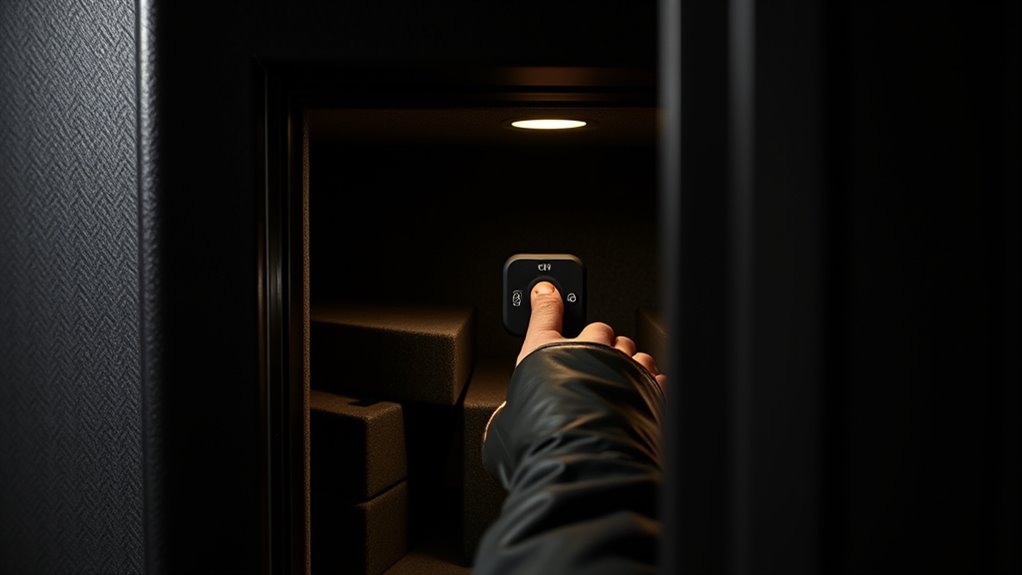
Wondering if your gun safe needs a reset? First, check if the lock is acting strangely. Is it hard to turn the dial or keypad? Do you hear unusual noises when trying to open it?
If your safe isn’t responding normally or the combination doesn’t work anymore, it might need a reset. Also, look for signs of tampering or if you’ve forgotten your code.
Sometimes, a safe may seem fine but is actually malfunctioning, especially after power outages or battery issues. It’s crucial to spot these signs early so you don’t get locked out during an emergency.
If you notice any of these issues, it’s likely time for a reset or a professional inspection to restore full access and security.
How to Reset Your Gun Safe’s Combination or Lock
Resetting your gun safe’s combination or lock can vary depending on the model, but generally, you’ll need to access the reset mechanism inside the safe or follow specific manufacturer instructions.
First, open the safe using your current code. Locate the reset button, lever, or dial—usually inside the door panel or near the lock.
Press or turn this mechanism as instructed in your safe’s manual. Some safes require you to enter your current code before pressing the reset button, while others may need a master key or special tool.
Once activated, input your new combination or code, then confirm it as directed.
Be sure to test the new code multiple times to verify it works properly before closing the safe.
How to Clear Old Codes and Reprogram Your Safe
To clear old codes and reprogram your safe, start by accessing the safe’s settings using the manufacturer’s instructions.
Once inside, erase any existing codes and then set your new combination.
Make sure to test the new code to confirm it works correctly before locking up your safe.
Access Safe Settings
Have you ever needed to clear old codes or reprogram your safe? Accessing your safe’s settings is the first step. Usually, this involves opening the safe with your current code or key, then finding the settings or programming button.
This button might be behind the keypad, inside the door, or on the control panel. Once you find it, press and hold it as your safe’s manual instructs—often for a few seconds. You might hear a beep or see a flashing light signaling you’re in programming mode.
Be sure to read the manufacturer’s instructions carefully because steps can vary between models. Gaining access to the settings ensures you’re ready to clear old codes or set new ones securely.
Erase Old Codes
Wondering how to clear old codes from your safe? First, access the safe’s programming mode by following your manufacturer’s instructions. Once inside, find the option to erase or reset codes.
To make sure all previous codes are removed, consider these tips: remove any stored user codes to prevent unauthorized access, follow prompts carefully to confirm code deletions, and use the master reset function if it’s available.
Double-check that all old codes are erased before adding new ones. Remember to save your changes before exiting the programming mode. Clearing old codes is important for security, especially if you’ve shared the safe with others or suspect unauthorized access.
Take your time to complete each step carefully to avoid issues later.
Program New Combination
Start by entering your safe’s programming mode, making sure to follow the manufacturer’s instructions carefully.
Once you’re in programming mode, find the button or sequence needed to set a new code—this usually involves pressing a specific button or a combination.
When prompted, enter your new combination, making sure it’s secure but easy for you to remember.
Confirm the code by pressing the designated button again, typically “Enter” or “Save.”
Some safes require you to test the new code right away to make sure it works correctly.
If your safe has an LED indicator or sound alert, watch for confirmation signals.
Always check your specific safe’s manual because the steps can vary.
After programming, exit the mode to lock in your new combination securely.
Tips for Reprogramming Electronic or Digital Safes
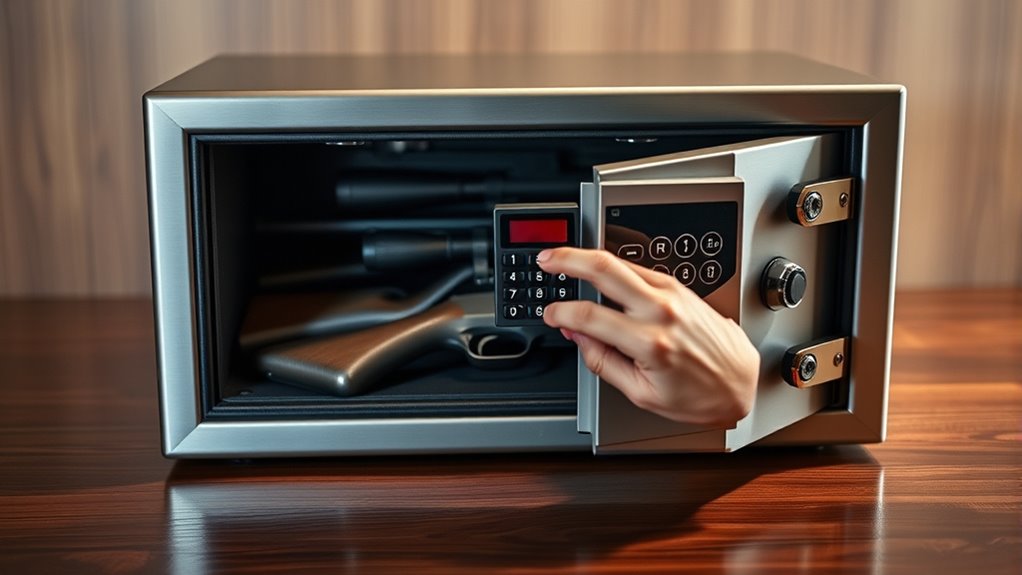
To reprogram your electronic or digital safe, start by accessing the safe panel, usually located inside the door or on the control keypad.
Follow the specific reprogramming steps in your user manual, which often involve entering a master code or resetting the system.
Make sure to carefully follow each step to ensure your new code is set correctly and securely.
Access the Safe Panel
Accessing the safe panel is an essential step when reprogramming an electronic or digital safe. Usually, you’ll find the panel behind a small door or cover, often near the keypad or control area. Use a key or tool to open this compartment gently. Once open, you’ll see buttons or a touchscreen that allows you to input new codes or settings.
Keep these tips in mind: Confirm the safe is powered on before accessing the panel. Look for a reset or program button if available. Use a flashlight if the panel is hard to see. Handle the panel gently to avoid damage. Consult your safe’s manual for specific instructions.
Accessing the panel correctly confirms a smooth reprogramming process.
Follow Reprogramming Steps
Reprogramming your electronic or digital safe requires following specific steps carefully to make sure the new code is set correctly. First, check that the safe is powered on and that you have access to the control panel.
Usually, you’ll need to press and hold the reset or program button for a few seconds. Then, enter the current master code or default code. Once accepted, input your new code—just pick a sequence you’ll remember but isn’t obvious.
Make sure to confirm the new code by re-entering it when prompted. Some safes might require you to press a specific button to finish programming. Always follow the manufacturer’s instructions closely, since procedures can vary.
After completing these steps, test the new code several times to make sure it works perfectly.
How to Verify Your Safe Is Fully Reset and Secure
After completing the reset process, it’s important to check that your safe is fully reset and secure. First, try the new combination or code several times to make sure it opens reliably.
Next, make sure the lock responds smoothly without any hesitation. If your safe has electronic parts, check that they’re functioning correctly too.
Inspect the locking bolts to ensure they extend fully and lock securely. Look out for any error messages or alerts that might indicate a problem.
Finally, review the user manual to confirm you’ve followed all the reset steps correctly.
Common Mistakes to Avoid When Resetting Your Safe
When resetting your safe, it’s easy to make mistakes that could compromise its security or how well it works. One common mistake is rushing through the process without carefully following the manufacturer’s instructions. This can lead to entering the wrong code or not completing the reset properly.
Avoid using obvious or repeated codes that others could easily guess. Don’t forget to update your combination or lock settings after resetting to keep things secure. It’s also important to test the safe thoroughly afterward to make sure it’s truly secure.
Don’t ignore cleaning and inspecting the locking mechanism during the reset. Skipping these steps can cause malfunctions or vulnerabilities. Stay attentive, follow all instructions carefully, and double-check your work. This way, your safe will stay secure and work properly.
When to Seek Professional Help for Safe Resetting
Knowing when to call in a professional can save you time, frustration, and potential security risks. If you’re unsure about your safe’s lock mechanism or keep facing persistent issues, it’s best to get expert help.
Professionals can accurately diagnose problems and reset your safe without causing damage. Consider reaching out if you’ve lost the original combination or key.
If the safe’s lock is jammed or unresponsive, don’t force it. Also, seek help if you notice signs of tampering or forced entry.
If troubleshooting hasn’t worked or the electronics are acting up, it’s time to call in the pros. Trying repairs beyond your skill level can jeopardize your safe’s security.
Professionals have the right tools and expertise to reset your safe securely. This helps keep your valuables protected. Don’t hesitate to ask for help when you’re unsure.
Frequently Asked Questions
Can I Reset My Safe Without the Original Code?
Yes, you can reset your safe without the original code, but it depends on the model. Most safes have a manual override or reset button hidden inside or behind the lock mechanism.
You’ll need to open the safe first—often with a backup key or by removing the battery compartment—and then follow the manufacturer’s instructions to reset or change the code.
If you’re unsure, check your safe’s manual or contact the manufacturer for guidance.
How Long Does a Safe Reset Typically Take?
A safe reset usually takes about 10 to 30 minutes, depending on your safe’s model and how familiar you are with its lock mechanisms.
It might seem like a quick process, but some safes need careful steps like disconnecting batteries or entering master codes.
If you’re experienced, it could be faster, but always set aside enough time to follow the instructions carefully.
This way, you won’t accidentally lock yourself out.
Is There a Risk of Damaging the Safe During Resetting?
Yes, there’s a risk of damaging your safe during resetting if you’re not careful. You might accidentally force the lock or mishandle parts, which can cause scratches, dents, or even break something.
To reduce this risk, follow the manufacturer’s instructions closely and handle all parts gently. If you’re unsure about any step, it’s a good idea to ask a professional locksmith or contact the safe’s customer support.
Do All Safes Have the Same Reset Procedure?
Not all safes dance to the same tune when it comes to resetting. Each model has its own set of steps, kind of like different recipes for the same dish.
Some safes use keypad combinations, while others might need a reset button or specific key sequences. Always check your safe’s manual or manufacturer’s instructions to avoid missteps.
Following the right procedure makes sure your safe stays as sturdy as a fortress.
What Should I Do if My Safe Doesn’T Respond to Reset Attempts?
If your safe doesn’t respond to reset attempts, start by checking the batteries or power source. Low power can sometimes cause it not to respond.
If that doesn’t fix the issue, look at your safe’s manual for specific troubleshooting steps. You might need to do a factory reset or reach out to the manufacturer’s customer service.
Avoid forcing the lock, as that could cause damage. Usually, with some patience and proper troubleshooting, the problem gets resolved.
Conclusion
Resetting your gun safe might seem challenging, but with these straightforward steps, you can do it confidently and securely.
Remember, rushing the process or skipping instructions can compromise your safe’s security. If you’re ever unsure or encounter issues, don’t hesitate to seek professional help.
Ensuring your safe is properly reset not only protects your valuables but also gives you peace of mind.
Trust the process—you’ve got this!