7 Simple Steps to Turn On Your Red Dot Sight
Getting your red dot sight up and running can sometimes feel tricky, especially if you’re new to it. Many people struggle with the initial setup, but don’t worry—you’re not alone.
Once you get the hang of it, it becomes a quick and easy process.
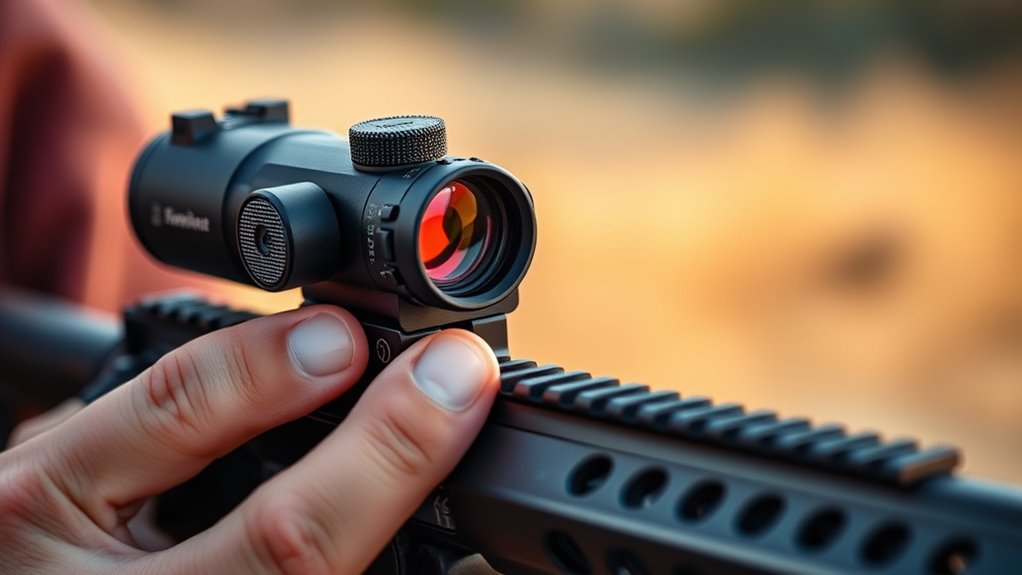
To turn on your red dot sight, locate the power button, usually on the side or top, and press it for 1-2 seconds. Look for the glowing reticle as confirmation it’s on.
Adjust the brightness to match your lighting conditions for ideal visibility. Check that the dot is clear through the lens. Make sure the sight is properly mounted and functioning.
If you’d like to learn how to fine-tune and troubleshoot, keep exploring the details.
Key Takeaways
- Find the power button on your sight, usually on the side or top.
- Press and hold the button for about 1 to 2 seconds to turn it on.
- You should see the reticle flicker or glow, which means it’s powered up.
- If needed, adjust the brightness to get a clear view.
- Before aiming or shooting, make sure the sight is properly illuminated.
How to Power On and Use Your Red Dot Sight
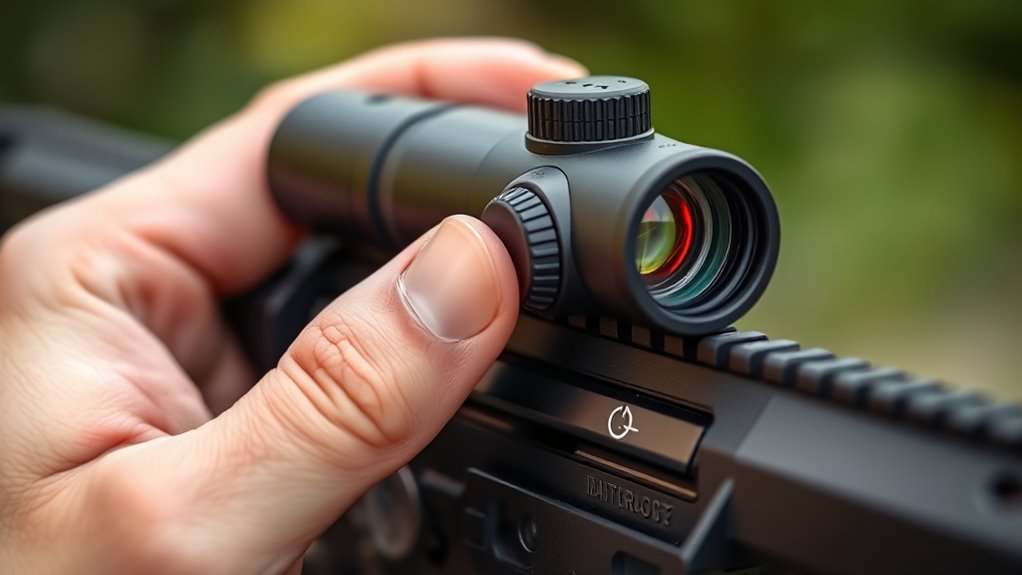
To power on your red dot sight, find the power button, usually on the side or top of the device. Press and hold it for a second or two until the sight activates. You’ll likely see the reticle flicker or glow briefly, showing it’s on.
If your sight has multiple brightness levels, you can change the brightness by pressing the same button repeatedly or using a dedicated control. Some sights have an automatic shut-off feature to save battery life after a period of inactivity.
Before heading out, make sure the reticle is clear and centered for accurate aiming. This way, you’ll be ready to use your sight effectively in the field.
Understanding and Adjusting Your Sight’s Power Button and Settings
Understanding how your red dot sight’s power button and settings work helps ensure quick, reliable operation when you need it most. Usually, the power button is a simple switch or a press-and-hold mechanism.
Get familiar with its location and how it responds. Some sights turn on with a single press, while others need a longer hold. Many models also have adjustable features like auto-off timers or sleep modes.
Familiarize yourself with the power button’s location and response, including single press, long hold, or adjustable auto-off features.
Knowing how to access and customize these settings keeps your sight ready when you need it. Always check your user manual to understand the specific functions of your sight’s controls.
Regularly testing and adjusting the power button responsiveness and settings helps prevent surprises during critical moments. This ensures your sight performs consistently and reliably when it matters most.
Setting Brightness for Clear Visibility
To get a clear sight picture, you need to set the right brightness level. Adjust the settings until the dot is visible without overwhelming the target.
Ensuring ideal clarity helps you aim accurately in different lighting conditions.
Adjusting Brightness Levels
Adjusting the brightness levels on your red dot sight helps keep the reticle visible in different lighting conditions. If it’s too dim, you might have trouble seeing it in bright light; if it’s too bright, it can hide your target. Find a level that works best for your environment.
Most sights have buttons or dials to easily increase or decrease brightness. When adjusting, consider these factors:
| Lighting Condition | Brightness Level | Visibility Tip |
|---|---|---|
| Bright sunlight | High | Maximize brightness |
| Cloudy or shaded | Medium | Adjust for clarity |
| Indoor or low light | Low | Lower brightness |
| Changing conditions | Variable | Fine-tune as needed |
Set your brightness to ensure quick target acquisition and clear visibility.
Ensuring Optimal Clarity
Achieving ideal clarity on your red dot sight ensures you can quickly and accurately identify targets. To do this, adjust the brightness so the dot stands out against the environment without being too bright or dim.
If the dot blends into the background or is hard to see, it’s probably too dim or too bright. Use your sight’s brightness controls to fine-tune the illumination, aiming for a clear, crisp dot that’s easy to focus on.
Avoid setting it too high, which can cause glare, or too low, which makes it harder to see. Take your time testing different levels in various lighting conditions. Proper brightness helps you maintain peak clarity, leading to quick target acquisition and better accuracy.
How to Verify Your Red Dot Sight Is Properly Turned On
Verifying your red dot sight is properly turned on is a simple but essential step before heading into accurate shooting. To confirm it’s on, look through your sight and check for the illuminated red dot. If you see it clearly, you’re ready to go. If not, press the power button firmly until the dot appears.
Feel confident knowing your sight is active and ready. Experience the satisfaction of a quick, reliable check. Avoid the frustration of shooting with a dark, unlit sight. Gain peace of mind before every shot. Feel prepared and in control of your target.
Taking a moment to verify the illumination confirms your shot is precise and your confidence remains high. It’s a small step that makes a big difference.
Zeroing Your Red Dot Sight for Accurate Shooting
Zeroing your red dot sight is a key step to make sure your shots hit exactly where you’re aiming. Find a stable shooting position at your chosen distance and set up a target.
With the sight turned on and properly mounted, fire a few shots to see where they land. Then, adjust the windage and elevation controls to line up the dot with your point of impact.
Make small, precise tweaks and shoot again to check your accuracy. Keep repeating this process until the red dot consistently hits your target’s point of aim.
Zeroing helps confirm your shots are accurate, saving you time and frustration when you’re actually shooting. When your sights are properly zeroed, you can trust your aim whether you’re shooting for sport, hunting, or defending yourself.
Troubleshooting Common Power and Zeroing Issues
If your red dot sight isn’t working properly, start by checking the battery power to make sure it’s not dead or low.
Next, adjust the brightness settings so the reticle is clearly visible in your environment.
Finally, verify that your sight is properly zeroed for accurate target acquisition.
Checking Battery Power
A dead or weak battery is a common cause of power issues with your red dot sight. If your sight isn’t turning on or the dot is dim, check the battery first. Make sure it’s properly seated and not corroded or damaged.
If needed, replace it with a fresh, high-quality battery to restore brightness and functionality. Don’t forget to feel confident knowing your sight is ready, enjoy the crisp aiming point, and eliminate frustration from power failures.
Secure your shot with certainty and trust your equipment to perform flawlessly. Regularly checking and replacing batteries keeps your sight dependable, so you’re always prepared when it counts.
A simple battery check can save you time and ensure your red dot sight works perfectly whenever you need it.
Adjusting Brightness Settings
Adjusting the brightness setting on your red dot sight can often fix power issues or make it easier to see, especially in different lighting. If the dot looks dim or too bright, use the adjustment buttons or dial to get a clearer view.
In bright sunlight, turn up the brightness so the dot doesn’t blend into the background. In low-light conditions, lower the brightness to save power and cut down on glare.
A quick adjustment can really improve your sight picture and help you acquire targets faster. If you notice flickering or inconsistent brightness, check that the controls are working properly and the batteries are installed correctly.
Regularly adjusting the brightness keeps your sight at its best, making sure you get optimal visibility and helping the batteries last longer.
Zeroing the Sight Properly
Properly zeroing your red dot sight is crucial for accurate shooting and fixing common alignment issues. If your shots are missing or the sight isn’t responding well, it’s time to re-zero.
Start by aligning your red dot at a known distance and shooting a group to see where your shots land. Adjust the windage and height knobs until the dot hits your point of impact.
Be patient and methodical—small, precise adjustments make a big difference. Remember, keeping a consistent shooting stance and grip helps maintain accuracy.
Don’t let frustration take over. Proper zeroing restores your confidence and precision.
Feel the thrill of hitting your target dead center and experience the satisfaction of perfect alignment.
Overcome frustration with every precise adjustment.
Gain confidence in your shooting skills.
Master your gear and boost your accuracy.
Tips to Maximize Battery Life and Maintain Your Red Dot Sight
To get the most out of your red dot sight’s battery life, it’s important to adopt simple maintenance habits. Turn off the sight when you’re not using it to prevent unnecessary draining.
Regularly check and replace batteries before they completely die, so you don’t lose zero during critical moments. Keep the lens and housing clean—dirt and smudges can make the sight work harder, draining the battery faster.
Store your sight in a cool, dry place to prevent battery corrosion and damage. Avoid exposing it to extreme temperatures or moisture.
Follow the manufacturer’s maintenance instructions, like firmware updates or calibration checks. Proper care not only extends your sight’s battery life but also ensures consistent performance when you need it most.
Frequently Asked Questions
Can I Leave My Red Dot Sight on for Extended Periods?
Yes, you can leave your red dot sight on for extended periods, but it’s not always recommended. Modern sights often have auto-shutoff features that conserve battery life, so check if yours has this function.
If it doesn’t, leaving it on can quickly drain the battery and might cause overheating or damage over time. To keep your sight working well, it’s best to turn it off when you’re not using it, especially during long breaks.
What Type of Batteries Are Compatible With My Red Dot Sight?
Your red dot sight usually uses CR2032 lithium coin batteries or similar models.
Always check your device’s manual or battery compartment for the specific type recommended.
Using the correct batteries ensures peak performance and longer battery life.
Avoid mixing different battery types or brands, as this can cause malfunctions.
When replacing batteries, insert them with the correct polarity, usually indicated inside the compartment.
This helps keep your sight functioning reliably and avoids issues down the line.
How Do I Prevent My Sight From Accidentally Turning Off?
To prevent your red dot sight from accidentally turning off, avoid rough handling or bumping it, which can trigger auto-shutdown features. You can also disable auto-off if your sight allows or adjust the brightness to a lower setting to save power without activating sleep mode.
Additionally, store it securely when you’re not using it to prevent unintentional activation or deactivation. Regularly check the battery and keep it fresh for reliable operation.
Is It Safe to Use Rechargeable Batteries in My Sight?
Yes, it’s generally safe to use rechargeable batteries in your red dot sight, but make sure they meet the manufacturer’s specifications.
Use high-quality, compatible rechargeable batteries like NiMH or lithium-ion types. Keep in mind that rechargeable batteries may have slightly lower voltage or run time compared to disposable ones.
Regularly check your sight’s performance, and replace or recharge batteries as needed to keep everything working smoothly. This helps maintain good visibility and safety.
How Often Should I Check and Calibrate My Sight’s Zero?
You should check and calibrate your red dot sight’s zero regularly, ideally before each shooting session or after any impact or rough handling.
Frequent checks ensure your sight stays accurate and reliable. If your shots start shifting, re-zero your sight right away.
Keeping your sight calibrated helps maintain precision and confidence, especially during critical moments or competitions.
Regular maintenance also helps keep your sight working at its best.
Conclusion
Mastering your red dot sight guarantees precision, confidence, and safety with every shot. Knowing how to turn it on, adjust brightness, verify its operation, zero it correctly, troubleshoot issues, and conserve battery life makes all the difference.
Practicing these steps consistently, maintaining your sight regularly, and staying attentive to its performance help create a seamless shooting experience. These habits will improve your accuracy and extend your equipment’s lifespan.
By following these simple steps to turn on your red dot sight, you’ll enjoy better shots and more confidence behind the scope. Remember, mastering your sight is key to a successful and enjoyable shooting experience.